
2026 Best IPS Panel Which Type Should Buyers Choose?
Choosing an Ips Panel in 2026 is less about finding one universal winner and more about matching a screen to your desk, workload, and budget. IPS remains popular for its wide viewing angles and consistent colors, but “IPS” alone does not guarantee accurate color, strong contrast, or smooth motion. The model matters.
Industry references help put specifications in context. IDC’s Worldwide Quarterly PC Monitor Tracker follows monitor shipments and market categories, offering a useful view of what buyers can find—not a verdict on picture quality. VESA’s DisplayHDR Compliance Test Specification gives buyers a more concrete benchmark: DisplayHDR 400 requires a peak luminance level of 400 cd/m². That figure is useful, but brightness alone cannot tell you how well a display handles dark scenes or reflections.
For office work, a 27-inch, 1440p IPS monitor can provide crisp text and comfortable viewing space. For gaming, compare tested response times, refresh rates, and motion handling rather than trusting a “1 ms” label at face value. Color-critical work calls for coverage and accuracy measurements, plus calibration options. Small details matter: a bright window behind your desk can make a glossy screen frustrating, even with excellent specifications.
No panel wins every desk. And the product pages can mislead. This guide compares IPS types and practical trade-offs, so buyers can choose with clearer expectations—and still check independent reviews before spending.
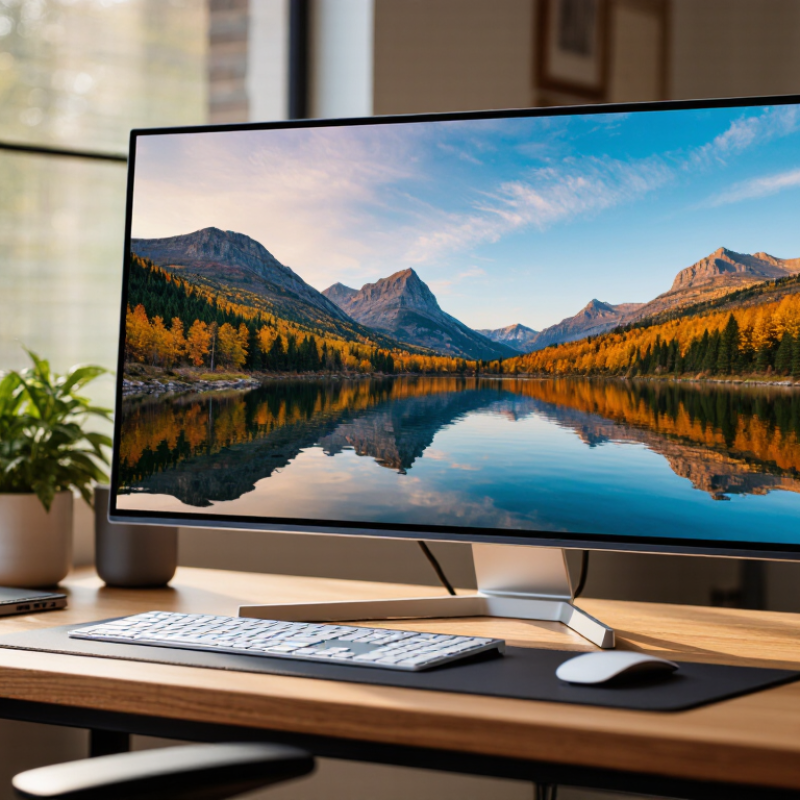
What IPS Panel Technology Means in 2026
In 2026, IPS still describes how liquid crystals move within a display panel to control light. This arrangement helps maintain color and brightness when you view the screen from the side. For a practical example, a white spreadsheet is less likely to look yellowish when someone beside you glances at it. That can help with shared work, photo review, or a monitor positioned off-center.
IPS is not one fixed level of performance. Newer panels may offer higher refresh rates and quicker pixel transitions, while standard models may be better suited to everyday browsing. Check response-time testing carefully: advertised figures can use different measurement methods. Fast motion matters for games, but a high refresh rate alone does not guarantee clear movement.
There are trade-offs. IPS panels often have weaker native contrast than some alternatives, so dark scenes may look gray in a dim room. Backlight design and local dimming can change the result, but neither is consistent across every model. Calibration matters, too. A panel’s color claims do not tell the whole story; factory settings, brightness, and viewing conditions all affect what you see. A spec sheet can still mislead. Inspect independent measurements when available, and consider how the display looks at your usual desk distance.
2026 Best IPS Panel Which Type Should Buyers Choose? - What IPS Panel Technology Means in 2026
IPS (In-Plane Switching) is an LCD technology known for consistent colors and wide viewing angles. The best choice depends on the intended use: panel labels describe different characteristics, and several technologies can be combined in one display.
| IPS Panel Type or Feature | What It Means | Typical Strengths | Potential Trade-Offs | Best Suited For | Buyer Guidance |
|---|---|---|---|---|---|
| Standard IPS | A conventional IPS LCD panel with liquid crystals switching within the plane of the panel. | Wide viewing angles, generally consistent color, and a broad range of prices and resolutions. | Native contrast is often around 1,000:1, though the actual result varies by panel. Dark scenes can look gray in a dim room. | Everyday computing, study, office work, and general-purpose displays. | A sensible all-round option. Compare measured contrast, brightness, resolution, and warranty rather than relying on the IPS label alone. |
| Fast IPS | An IPS panel designed to transition between pixel states quickly, commonly used in gaming displays. | Can provide fast motion response while retaining IPS-style viewing angles and color consistency. | Advertised response times, such as 1 ms, are measured under specified conditions and may not represent every transition. Aggressive overdrive can cause visible overshoot. | Competitive and fast-paced gaming, especially when paired with a high refresh rate. | Check independent motion tests, refresh rate, variable-refresh support, and overshoot performance. A response-time number alone is not a reliable comparison. |
| Wide-Gamut IPS | An IPS display tuned to reproduce a wider range of colors than a standard sRGB-focused display. Some designs use additional color-enhancement layers. | Can cover a large portion of color spaces such as DCI-P3, making vivid colors and color-managed creative work possible. | Wide-gamut content may look oversaturated in applications without color management. Coverage figures do not guarantee color accuracy. | Photo and video work, design, and media viewing where wider color reproduction is useful. | Look for measured color accuracy, a usable sRGB mode, calibration options, and stated color-space coverage. Coverage and accuracy are different properties. |
| IPS Black | A class of IPS technology developed to achieve higher native contrast than conventional IPS. Specific performance varies by display. | Deeper dark tones than typical standard IPS while retaining the familiar IPS viewing-angle characteristics. | It remains an LCD technology, so dark-room black levels generally do not match those of self-emissive displays. Results depend on the complete monitor design. | Office and professional use where improved contrast is desirable without changing to another LCD viewing-angle approach. | Compare measured native contrast and uniformity. The technology name is a useful clue, not a substitute for product-level testing. |
| Mini-LED-backlit IPS | An IPS LCD paired with a backlight made of many small LEDs and local-dimming zones. Mini-LED describes the backlight, not the IPS pixel technology. | Can deliver higher peak brightness and stronger HDR highlights than a basic edge-lit IPS display. | Local dimming may cause halos or blooming around bright objects on dark backgrounds. The effect depends on zone count, algorithms, and content. | HDR gaming, bright-room use, and video where high brightness is a priority. | Check local-dimming reviews, HDR performance, peak brightness, and blooming behavior. A mini-LED backlight does not by itself guarantee good HDR. |
| Glossy or Matte IPS Finish | A surface treatment applied to the display; it is not a separate IPS pixel technology. | Glossy finishes can appear clearer in controlled lighting; matte finishes can reduce distracting reflections. | Glossy screens reflect surrounding objects more readily. Matte coatings can add a slight grain or soften the image, depending on the coating. | Glossy: controlled lighting and media use. Matte: offices, shared spaces, and rooms with light sources. | Consider the room and viewing position. If possible, inspect the coating in lighting similar to the intended setup. |
How to choose: For general use, start with standard IPS; for gaming, prioritize tested motion performance and refresh rate; for creative work, prioritize accuracy and color management; for HDR, evaluate the complete local-dimming and brightness performance. Figures and results vary by model, settings, and measurement method. “Best” depends on the buyer’s use case rather than the panel label alone.